The seller walks the house.
Your website writes the offer.
Humphrey walks the seller through every room on their phone — on his own, any time of day. Apex Vivus reads the photos, prices the repairs from your own repair list, pulls recent sales nearby and works out an offer range. You check it and press Send.
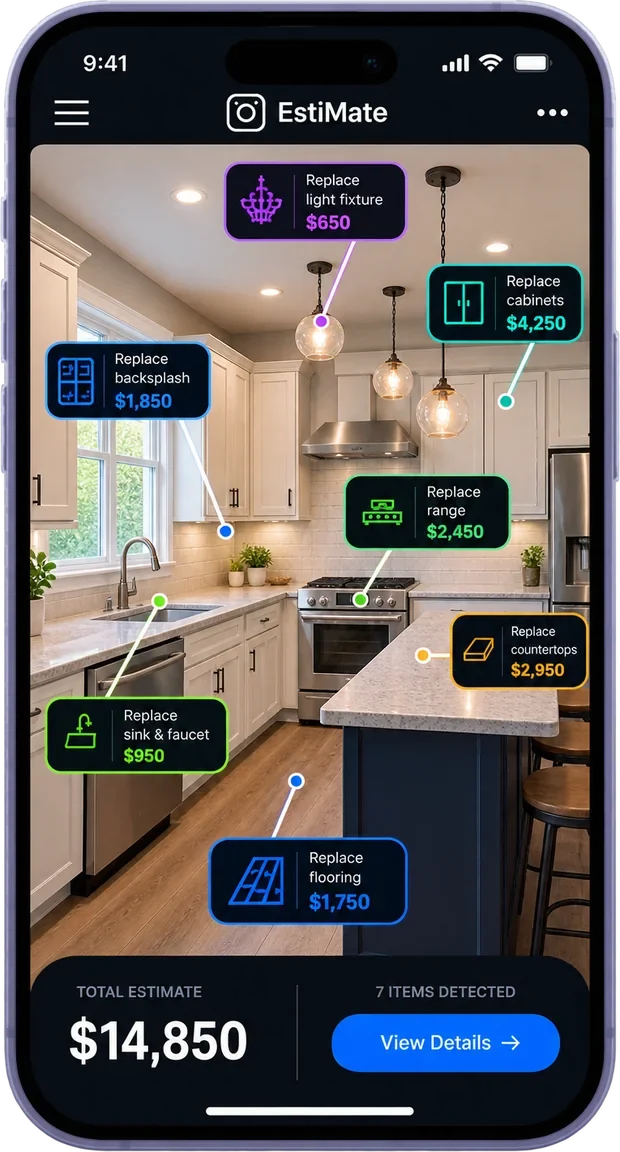
Tech has moved on since 2018.
Investor websites are still stuck in 2012.
Introducing the Instant Offer Engine.
A seller lands on your website at 11 at night. Instead of filling out a form and waiting days for a call back, they pick up their phone and walk through their own house, room by room, with Humphrey telling them exactly what to photograph.
You don't have to be there. You don't even have to know it's happening. The next time you look, the house, the repairs and an offer are waiting for you.
How many deals die
while you schedule the walkthrough?
- A seller fills out a formThen waits.
- You call backMaybe you reach them. Maybe you don't.
- You set up a visitThen wait for a time that suits you both.
- You drive across townWalk the house, guess the repairs.
- You run the numbersDays after they first reached out.
By then, another buyer may already have called them. And every website builder out there still stops at the form.
A form promises a maybe.
This promises an offer.
A form is a chore. It's the toll a seller pays for a maybe: maybe a call back, maybe an offer, someday. So most of them never fill it out.
The Instant Offer Engine flips that around. It starts with a promise: show us your house, and we'll send you an offer. Every photo is a step toward something they want, not a deposit they hand over and hope for.
And those photos replace the worst part of selling a house: setting up a visit and having a stranger walk through every room. Twenty minutes on their own phone, on their own time, with a friendly guide, instead of a form, a call, an appointment and a walkthrough.
No form to fill out first. No stranger in the house.
Just an offer, built from their own house.
Your website does the walkthrough for you.
The Instant Offer Engine is a section you add to your website. When a seller wants to sell, it walks them through their own house on their phone — all on its own, day or night. You don't schedule anything, answer a call or show up anywhere.
Humphrey, our friendly guide, tells the seller where to stand and what to photograph. Apex Vivus reads every photo, prices what needs fixing and checks what similar houses nearby sold for. By the time you check in, the offer is worked out.
You look it over and send it with one button — or let it send itself when everything checks out.
Drag. Drop. Tweak. Done.
No coding and no programming. In the Apex Vivus website editor, you drag the Instant Offer section onto any page, pick one of the fifteen designs, change the words and colours if you like, and press Save. It's live.
- Dragthe Instant Offer section onto a page
- Dropit where you want it
- Tweakthe design, words and colours
- Donepress Save and it's live
Three steps. Only the last one is yours.
A seller finds your website
They see the Instant Offer section: "Show us your house with your phone and get an offer."
They walk their own house
Humphrey guides them room by room on their phone. No app to download, and no need for you to be there.
You find an offer waiting
Apex Vivus has done the math while you were busy. Check it and press Send — or let it go out on its own.
While the seller walks the house,
the offer builds itself.
Nobody on your team lifts a finger. Here is what each part does.

Every photo becomes a priced repair list.
Each photo is read and every item in the room is rated: fine, dated, worn or damaged. Cabinets, countertops, flooring, the tub — room by room, line by line.
Then each item is priced with your own EstiMate repair price list, adjusted for labour rates in that ZIP code. EstiMate is our repair-estimating app — the same price list you'd use walking a house in person.
See EstiMate ›The answers fill in what photos can't see.
The seller's quick answers add the expensive things you can't judge from a picture: an old roof, worn-out heating and cooling, foundation, plumbing or electrical trouble. Labels in the photos catch an old water heater or a dangerous electrical panel.
Each one goes on the repair list with its own price, so the big things the seller tells you about are in the number.
The address tells it what the house is worth.
From the address, Apex Vivus looks up the house in public records — bedrooms, bathrooms, size, year built — and finds similar houses nearby that sold recently.
From those sales it works out what the house would sell for once it's fixed up. If there aren't at least two recent sales, it doesn't guess.
Your profile turns it into your offer.
Apex Vivus already knows how you buy. First it works out the most you'd pay: your share of the fixed-up value (70% unless you've set your own), minus the repairs. That is the ceiling.
Then it works out what the deal can carry once the repairs, standard holding and closing costs, the minimum profit from your profile and room for the next buyer are taken out. The offer range runs between the two and never reaches the ceiling, ready for you to check and send.
Answer sellers in hours.
Drive only to the houses that fit.
It works while you sleep
Nights, weekends, while you're at a closing. Sellers get guided and the offer gets built without you.
Answer sellers in hours, not days
While your competitors are still calling back, your offer is already on the seller's phone.
See the house before you drive
Every room, photographed properly, waiting in your account. Skip the trips to houses that were never a fit.
Keep every lead
Their name and number come in before the first photo, so a seller who stops halfway is still yours to call.
Repairs priced with your numbers
The repair costs come from your own price list, not someone else's guess.
Sellers trust you more
They see exactly how you got to the number: what it's worth fixed up, the repairs, your costs.
You stay in charge
Nothing goes out unless you send it. Or, if you like, let it go out on its own when everything checks out.
Nothing for the seller to install
It works in the browser on their phone, in English or Spanish.
The old way vs. Instant Offer.
Fills out a form and waits
Walks their own house with Humphrey, whenever it suits them
Calls, a visit, an afternoon
A minute to check it and press Send
You drive there
Every room is waiting in your account
Your best guess on the spot
Priced room by room from the photos, with your own prices
You look up sales yourself
Recent nearby sales are pulled in for you
Days
As soon as you've checked it
Gone
Still a lead, with their name and number
Humphrey walks them through it.
You don't have to be there.
These are the real screens on the seller's own phone. Nobody from your team is on the line; Humphrey handles all of it.
They type their address. The rest fills itself in.
Bedrooms, bathrooms, size and the year it was built are looked up in public records. The seller only fixes what's off.
You get their name and number first.
Before a single photo, the seller says where to send the offer. So even if they stop halfway, you still have a lead to call. If they come back later, the guide picks up where they left off.
Humphrey tells them where to stand. Every time.
A simple list shows every room to photograph. In each room, the camera shows the seller exactly where to stand and what to fit in the picture.
- Too dark or blurry? Humphrey asks for another one.
- Sees damage? He asks for a closer look.
- Wrong room? He says so.
A few quick questions.
How old is the roof? Does the heating and cooling work? Any problems they know about? Who lives there, and when do they want to sell? Tap an answer — "Not sure" is fine.
They know exactly when to expect you.
The seller sees "Your photos are in" and when your offer will arrive: within 2 hours, the same day or within 24 hours — whichever you promise.
The whole house and the math,
waiting for you.
When the seller finishes, everything lands on their lead in your Apex Vivus account and you get an alert. No calls and no visit: the offer, the repairs, the photos and the seller's answers are already laid out.
The offer
What it would sell for fixed up, the recent sales used, the repairs, your costs and the most you'd pay. Nothing hidden.
The repairs
Room by room, each item marked fine, dated, worn or damaged from the photos. Disagree? Change it and the offer updates instantly.
The seller
Their answers, how they found you, their language, and every photo they took.
Send it yourself.
Or let it send itself.
Everything up to the offer happens on its own. You choose what happens next, and you can change it whenever you like.
You check it first
Every offer waits for you. Look it over, change anything, and press Send. Apex Vivus shows you exactly how it will reach the seller before it goes.
Let it send itself
The seller sees the offer the moment they finish, but only when everything checks out: enough recent sales nearby, the main rooms photographed, and no serious damage seen or reported. If anything is off, it waits for you and tells you why.
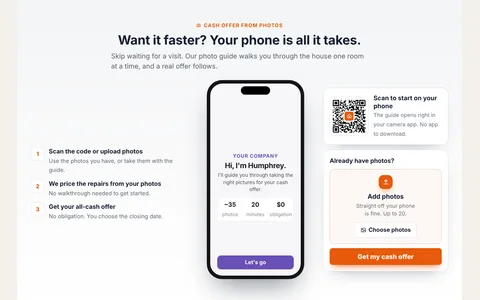
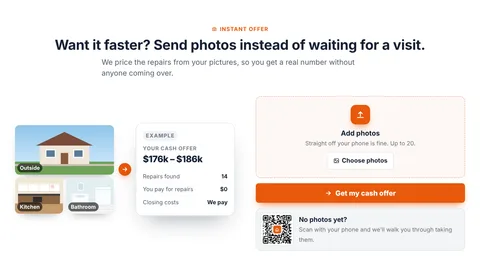
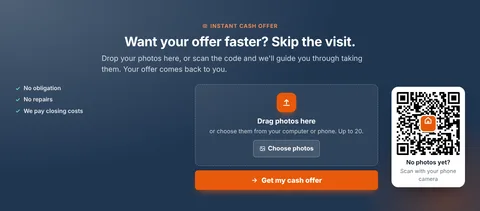
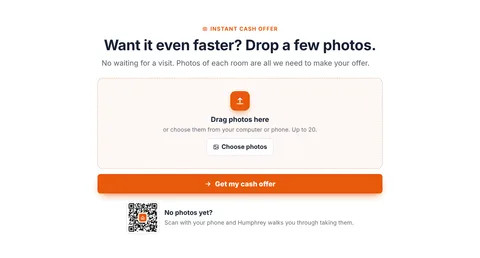
Fifteen designs. Pick one.
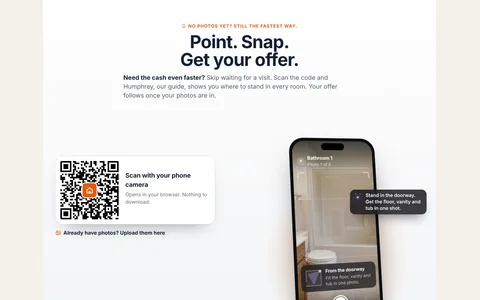
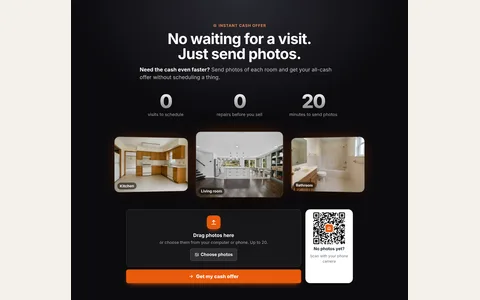
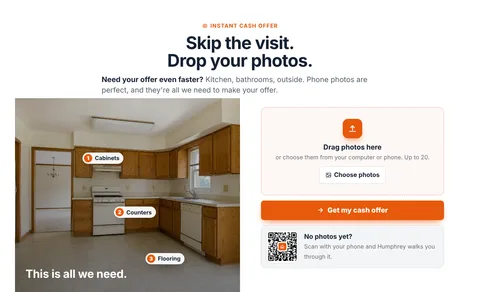
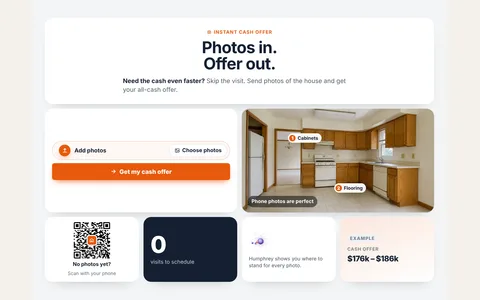
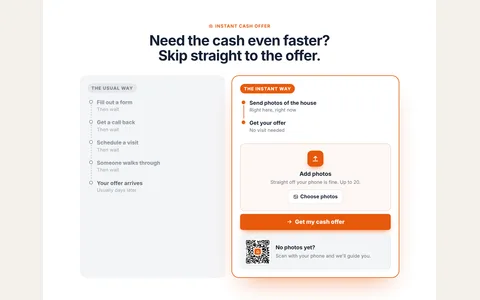
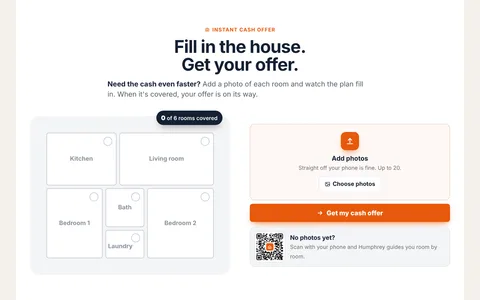
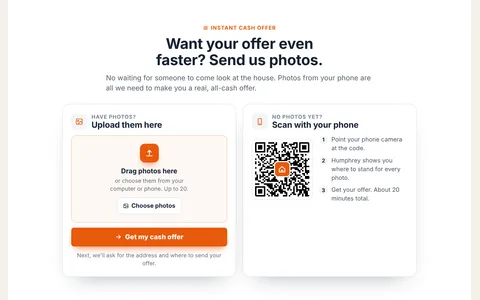
These are the real sections, running live. Click any of them to see it full size. Sellers on a computer can scan the code and carry on with their phone without losing anything.




They see how you got there. Then they sign.
Your offer arrives on the seller's phone by text or email. It shows the number, what the house would sell for fixed up, the repairs they won't have to pay for, and your costs.
If they like it, they type their name and sign a simple letter of intent that holds the offer while you set up a walkthrough. It isn't a purchase contract, and they can still walk away. Prefer to talk first? They can ask you to call.
You only pay when a seller actually sends you their house: 15 credits, which is $1.50, from your Apex Vivus credit balance. A seller who starts and leaves costs nothing, and you're never charged twice for the same seller.
Why there's a charge at all: reading a house means AI vision looking at about 30 photos, and that isn't free. The $1.50 covers it, as one flat fee per house. That's less than the gas for one drive to see it.
Don't want to pay it? Switch the engine off in Humphrey's settings and you'll never be charged. Sellers still send you their house and photos. You just set the repairs yourself.
Straight answers.
Does the seller need to download an app?
No. It opens in the browser on their phone, straight from your website. A seller on a computer can scan a code to carry on with their phone.
Do I need to be there while the seller takes the photos?
No. It runs on its own, day or night. Humphrey guides the seller, Apex Vivus reads the photos and works out the offer, and you get an alert when it is ready for you.
Does the seller see an offer straight away?
Only if you want them to. Normally every offer waits for you: you check it, change anything, and press Send. You can also let offers go out straight away, but only when everything checks out. If anything is off, it waits for you and tells you why.
Where do the repair prices come from?
From your own repair price list in Apex Vivus (or a standard list we provide if you have not made one). Each item is priced by what the photo showed: fine costs nothing, dated gets a light-touch price, worn or damaged gets a full price.
What if there are not enough recent sales?
Then there is no number. With fewer than two recent sales nearby, Apex Vivus will not guess what the house is worth. The seller is told someone will call, and the lead is waiting for you.
I wholesale. Will it say I am the cash buyer?
No. Wholesaler sites say "offer" and add one line saying a partner buyer may close. Investor sites say "cash offer". You choose with the "How you buy" setting.
How does the offer reach the seller?
By text when the seller agreed to texts and your site has texting set up, and by email when they gave one. If nothing can reach them, Apex Vivus says so before you send and tells you to call.
What does it cost?
$1.50 (15 credits) for each seller who sends you their house. Reading a house means AI vision looking at about 30 photos, and that is not free; the $1.50 covers it as one flat fee per house. A seller who starts and leaves costs nothing, and you are never charged twice for the same seller. Do not want to pay it? Switch the engine off in Humphrey's settings and you are never charged. Sellers still send you their house and photos; you just set the repairs yourself.
Do I need to know anything about websites or coding?
No. You drag the Instant Offer section onto a page of your Apex Vivus website, pick a design, change the words and colours if you like, and save. That is all.
Does it work in Spanish?
Yes. Everything the seller sees works in English and Spanish, and the guide remembers where they were if they leave and come back.